Platform Self-Learning
The system-admin view of the live self-learning signals: anomalies, router policy variants, model quality, variant comparisons, and speed-mode health.
Open Self-Learning under the admin nav
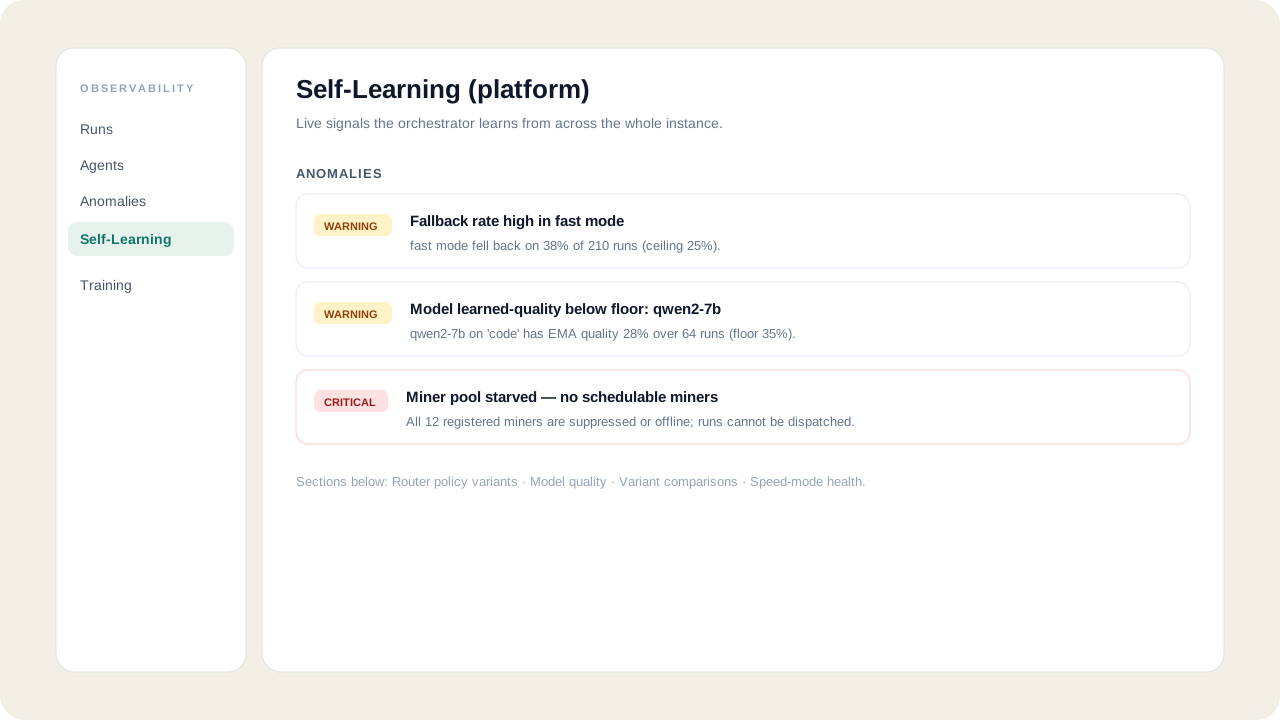
As a system admin, open Admin → Self-Learning. The top section is a live anomaly scan — degradations the system detects in its own learning loop, each with a severity badge and a plain-English explanation.
Inspect the router policy variants
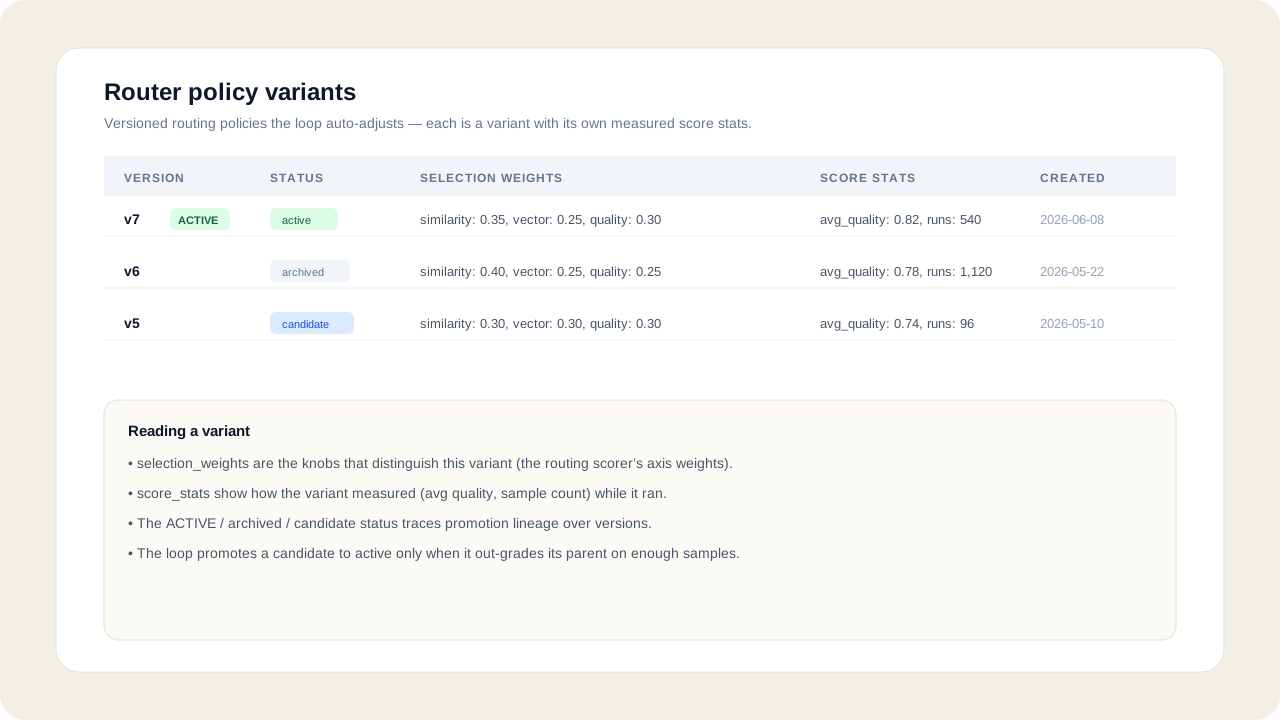
The Router policy variants table lists the versioned routing policies the loop auto-adjusts. Each row is a variant: its selection_weights (the scorer's axis weights), its score_stats (how it measured), and its status — candidate → active → archived — so you can trace promotion lineage and see which policy is live.
Review model quality and speed-mode health
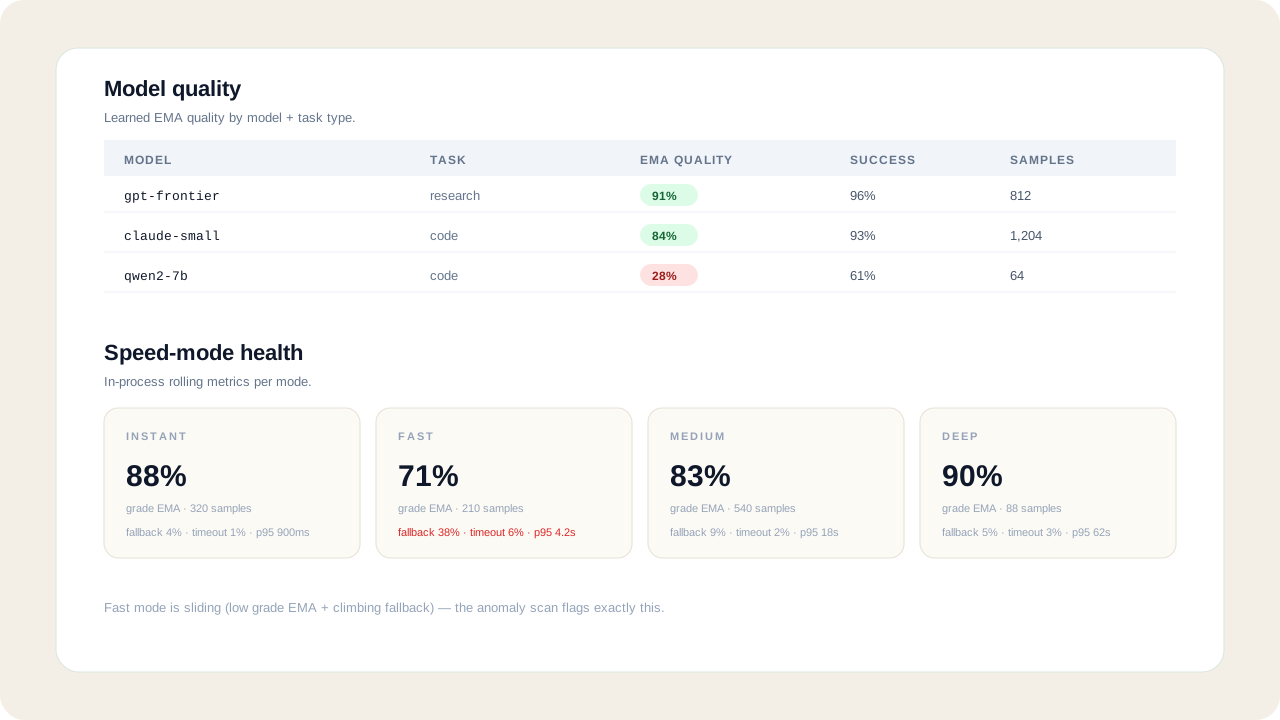
Model quality shows learned EMA quality per model + task type (a low EMA with enough samples is a model the loop has learned to avoid). Speed-mode health shows per-mode grade EMA, fallback %, timeout %, and p95 — a fast mode whose grade EMA is sliding or fallback is climbing is exactly what the anomaly scan flags.
Read it from the API (optional)
Every section is backed by a read-only, system-admin endpoint:
GET /api/system-admin/telemetry/router-policies
GET /api/system-admin/telemetry/model-quality
GET /api/system-admin/telemetry/variant-comparisons
GET /api/system-admin/telemetry/speed-modes
GET /api/system-admin/telemetry/anomaly-scan
A POST to anomaly-scan also notifies the system-admin allowlist. Detection thresholds come from SELF_LEARN_* env vars, never hardcoded.