Tutorials shaped like the landing page, but built for real product work.
Step-by-step guides to help you get the most out of Elis AI. Choose the track that matches how you use the platform.
User Guide
For everyone. Learn how to use the platform day to day, set up teams, and manage the resources tied to your workspace.
Sign Up & Log In
Create your account and access the platform.
Starting a Conversation
Send your first prompt and see AI responses stream in.
Document Editor
Writer documents (50 cap), AI rewrite & selection tools, links, merge, history, and side chat.
Managing Messages
Edit, resend, copy, and delete messages.
Creating an Organization
Set up an organization to collaborate with your team.
Managing Members
Invite team members, set roles, and manage access.
Uploading Documents
Upload files for your organization's knowledge base.
Connecting Databases
Link an external database for context-aware queries.
Creating & Managing Projects
Organize work into projects with linked resources.
Viewing the Audit Log
Review all activity within your organization.
Company Settings
Configure organization settings, security policies, and AI controls.
Settings, Chat Preferences & API Keys
Manage your profile, chat preferences, notification rules, and API keys.
The Token Saver Program
How Token Saver right-sizes your AI host's work, which wallet it bills, and where to review the savings
Community Sharing
Opt in to share proven Token Saver chains and agents, and manage your contributions.
Organization Integrations, Datasources & Apps
Connect datasources, configure provider credentials, and review installed apps for an organization.
Reviewing Compliance Alerts
Work through organization action items and the system admin compliance console.
Reviewing Notifications
Review personal notification preferences and system admin alerts.
Billing & Tokens
Purchase token packages and view transaction history.
Subscription Management
Cancel or restore personal and organization subscriptions before access changes take effect.
Organization Seat Management
Lower seat blocks safely by choosing which members or pending invites lose access.
Browsing Models
Explore the model directory and compare options.
Accepting Invitations
View and respond to pending organization invites.
Project Conversations
Create and manage conversations within a project context.
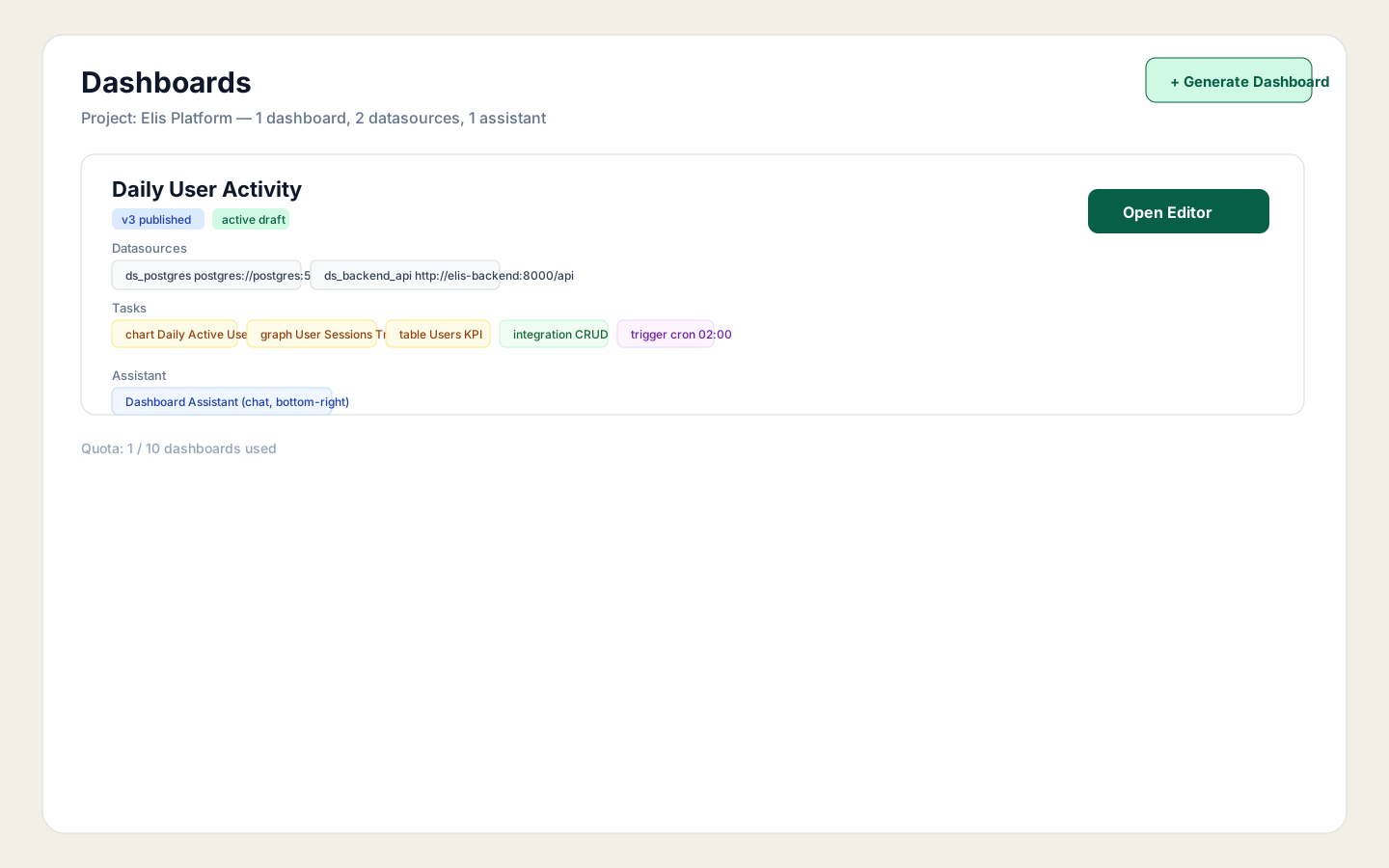
Using Dashboards
Create dashboards, iterate drafts, publish versions, and manage favorites.

AI Edit a Dashboard
Edit dashboards in plain English with a live preview, clarify questions, and per-message restore points.
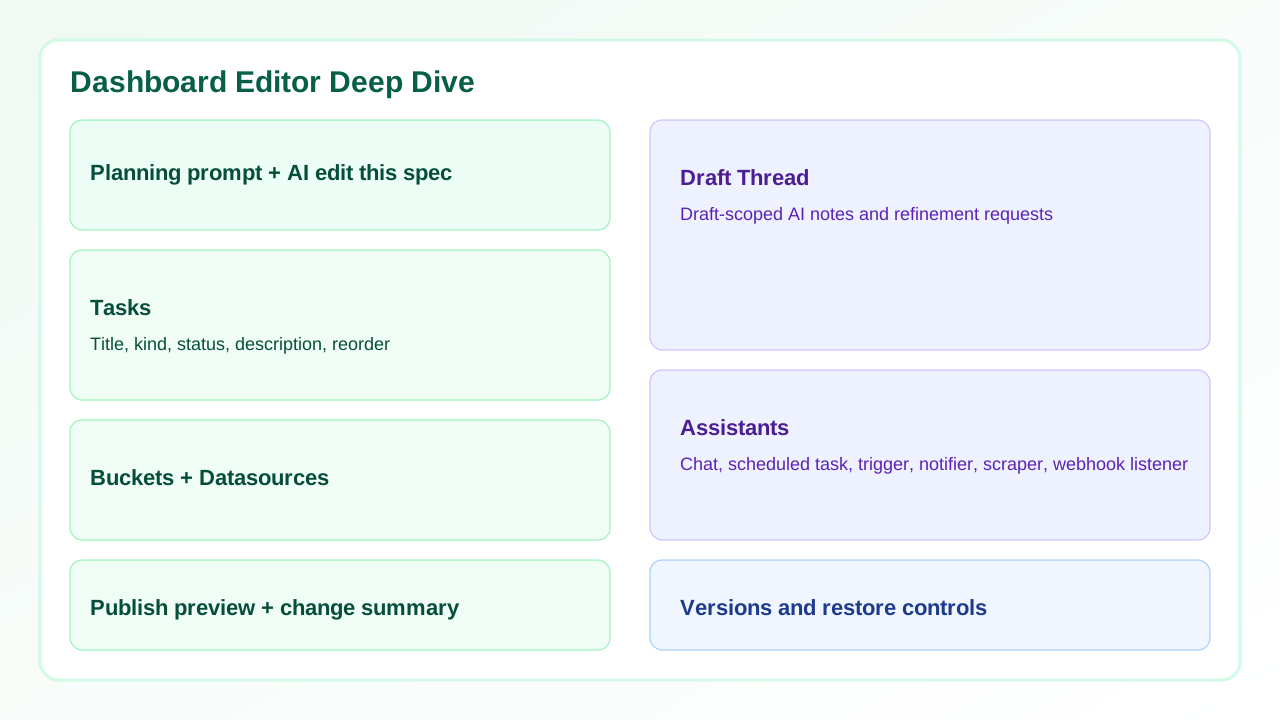
Dashboard Editor Deep Dive
Understand each editor section: planning, AI spec edits, tasks, buckets, datasources, draft thread, and assistants.
Using Automations
Organization-only recurring widgets with mobile support, chart modes, and alert dispatch.
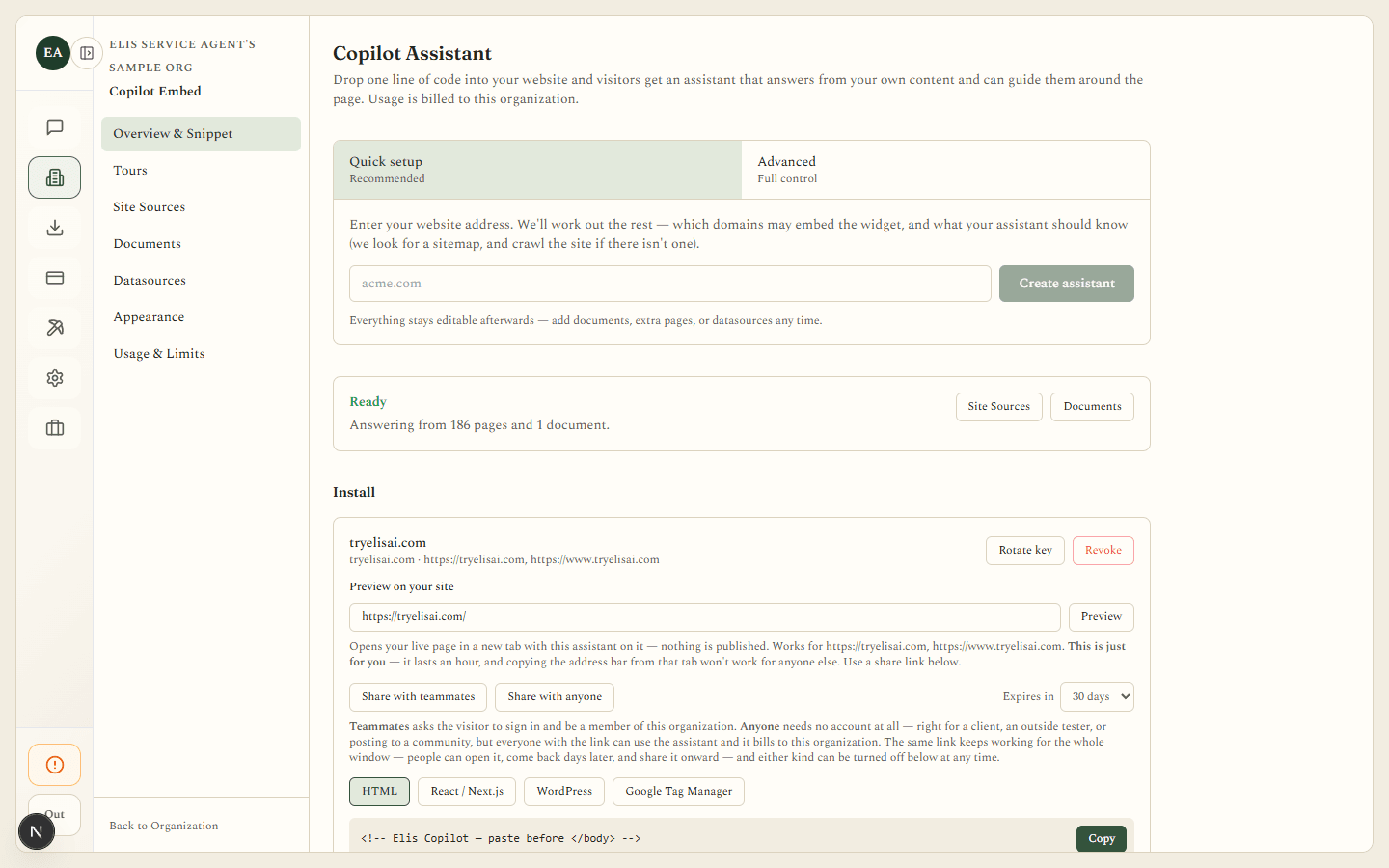
Website Copilot Assistant
Put an assistant on your own website that answers from your content, guides visitors around the page, and can speak — one script tag, billed to your organization
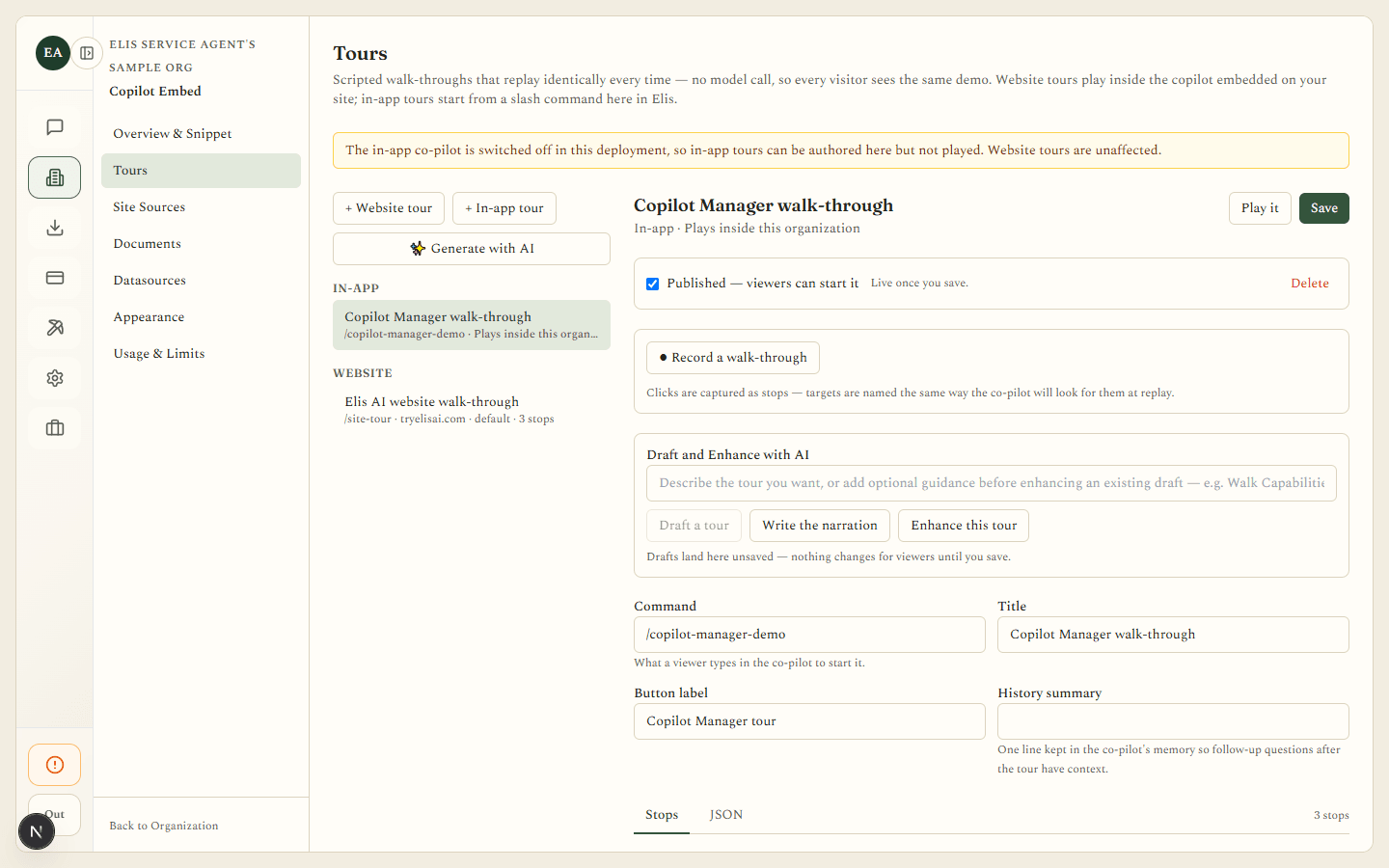
Authoring Copilot Tours
Record, generate, or hand-edit scripted walk-throughs that replay identically for website visitors and in-app users
Deep Data Collection
Crawl websites, extract structured records, share public datasets, and earn credits.
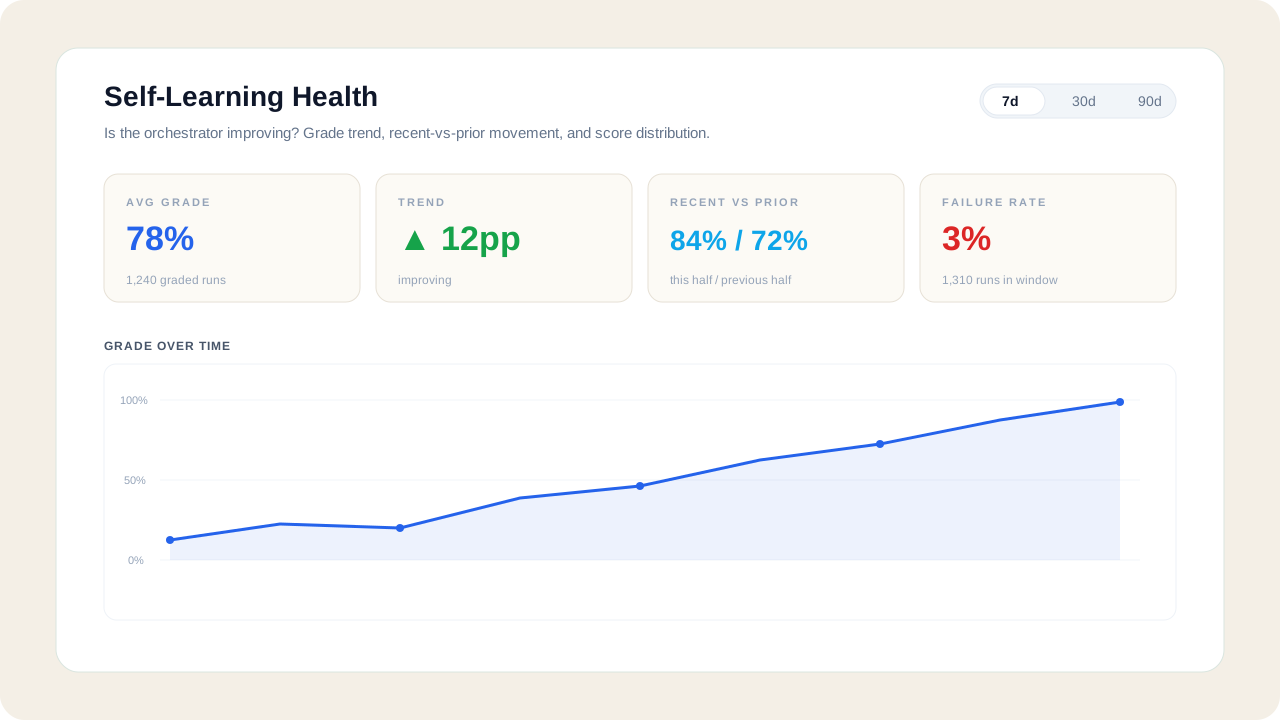
Self-Learning Health
Track whether the orchestrator is improving for your org — grade trend, recent-vs-prior delta, and score distribution.
Enterprise & Dedicated Hosting
EnterpriseDedicated infrastructure, model governance, BYOK/BYOA credentials, organization-scoped miners, and lifecycle operations for enterprise deployments.
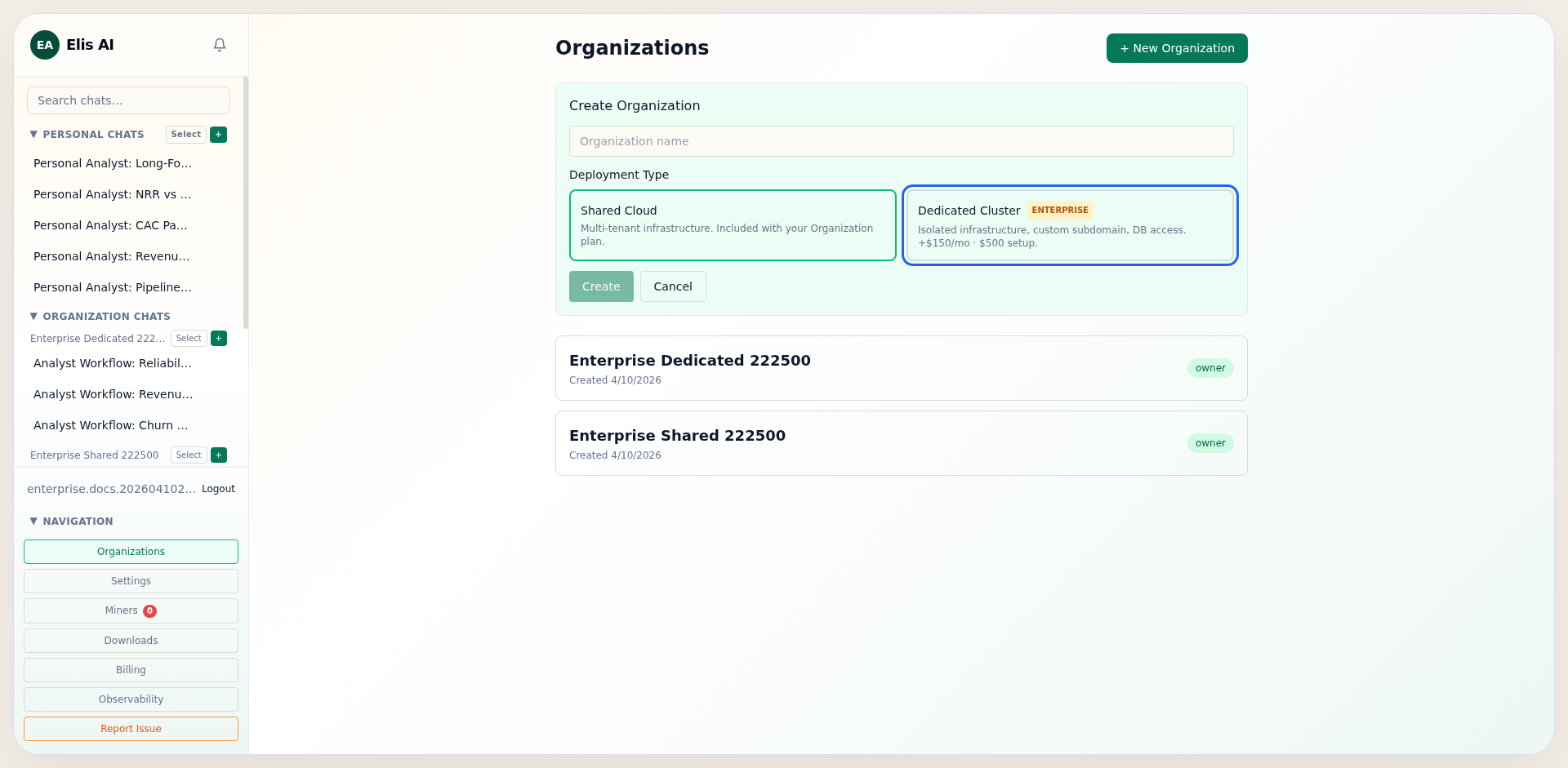
Dedicated Hosting Upgrade
Activate dedicated deployment, select shared vs. dedicated at org creation, and monitor cluster provisioning lifecycle.
Encryption Key Management (BYOK)
Bring your own encryption keys for data at rest and control rotation policy at community or organization level
White-Label Partner Program
Run Elis on your own miner fleet and pay a share of the savings — enrollment, monthly statements, and autopay
Dedicated User Management
Invite members with cluster-aware links, review pending signup invites, and adjust paid seat capacity without losing track of reserved seats.
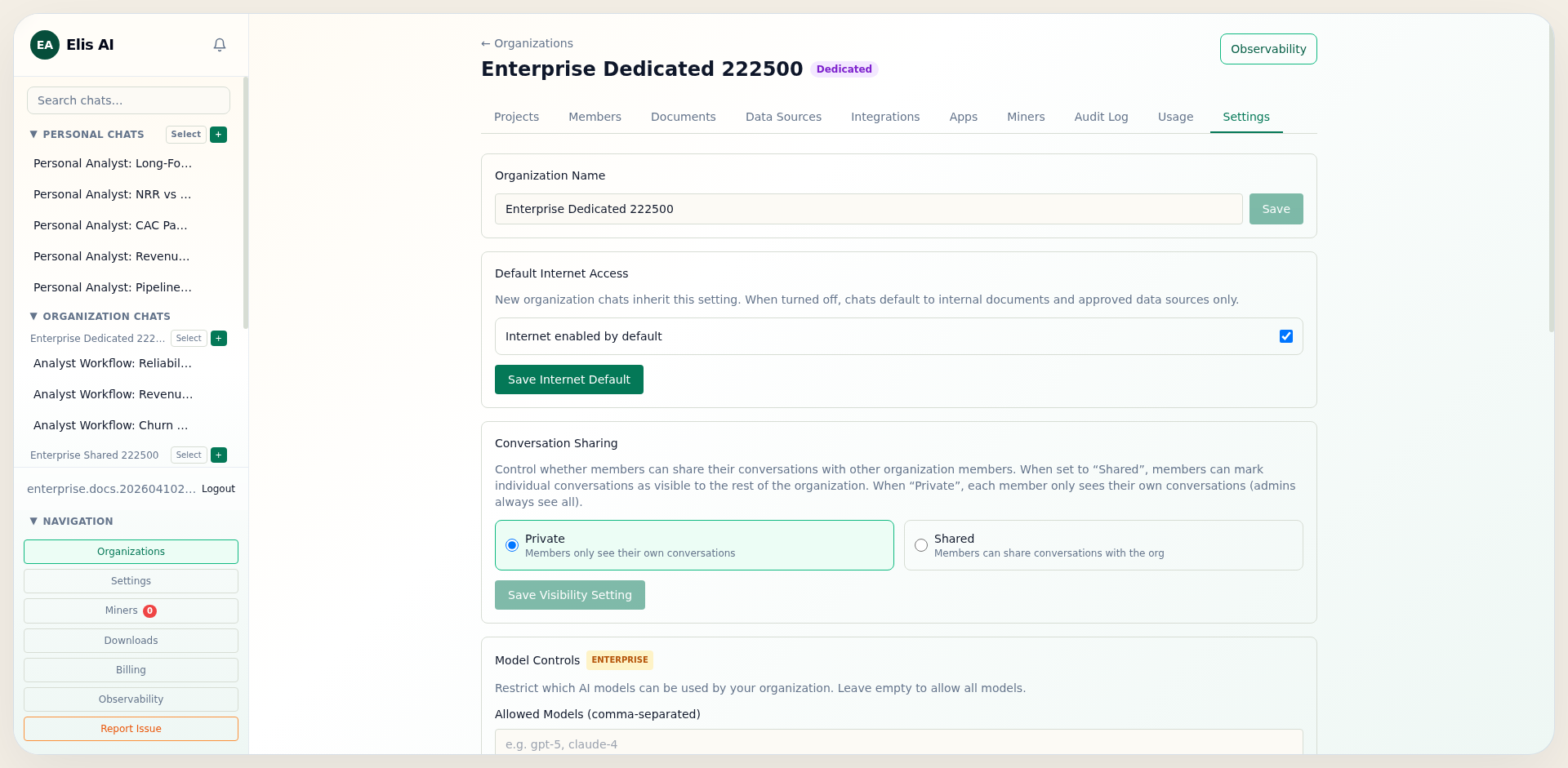
Enterprise Controls
Configure model allow/block lists, web domain allowlist, BYOK API keys, and BYOA OAuth credentials.
Provider API Keys (BYOK)
Sign up with OpenAI, Anthropic, Google, Groq, Mistral, and Cerebras, then store each provider key on your organization.

Custom REST Providers
Connect any AI provider with a REST API — auto-detect the format, discover its models, and add them as org miners
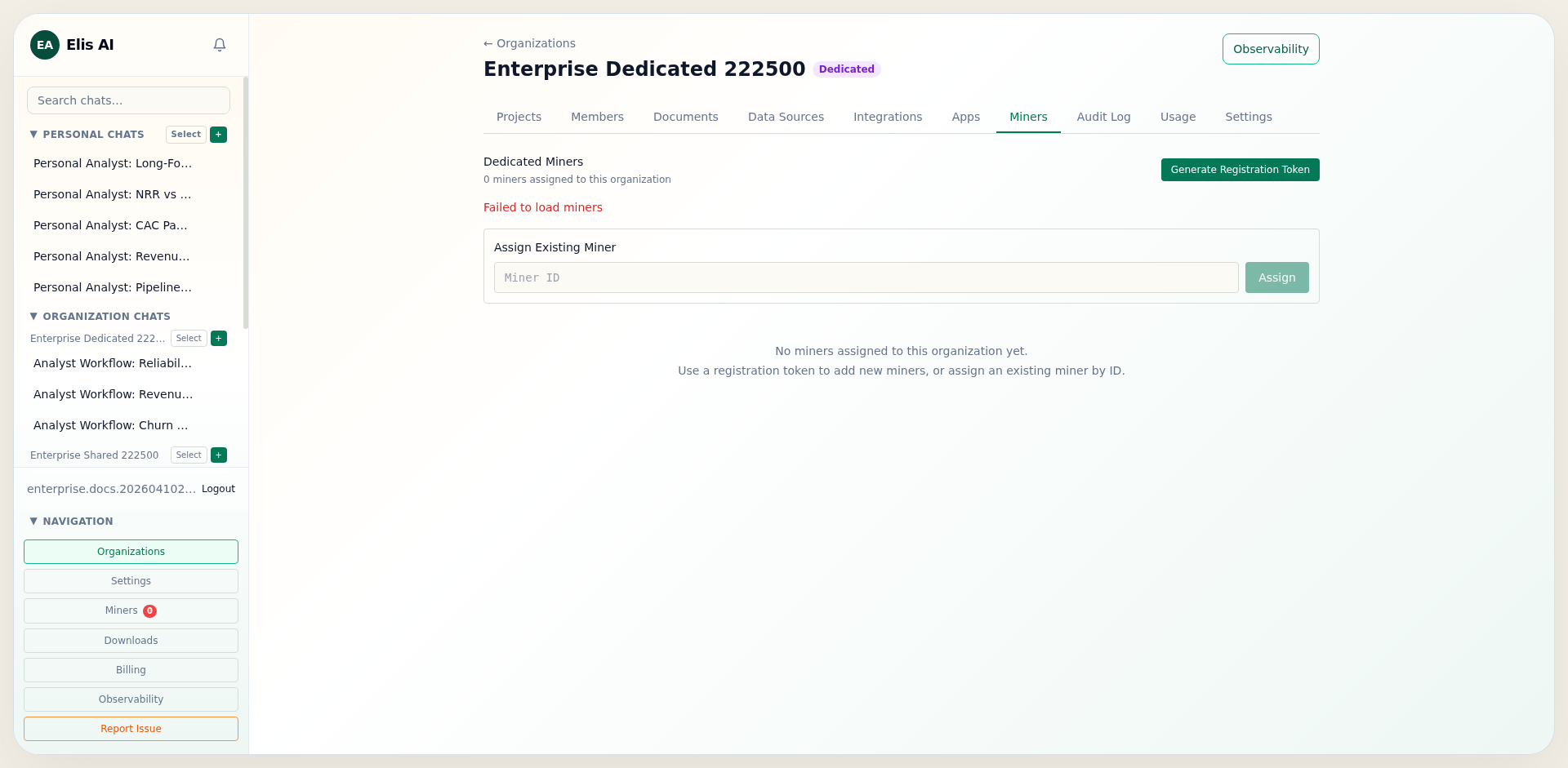
Dedicated Miners
Assign organization-scoped miners, generate registration tokens, and enforce dedicated-only inference.
OAuth & SSO Setup
Configure BYOA OAuth credentials and optional SSO enforcement for enterprise cluster members.
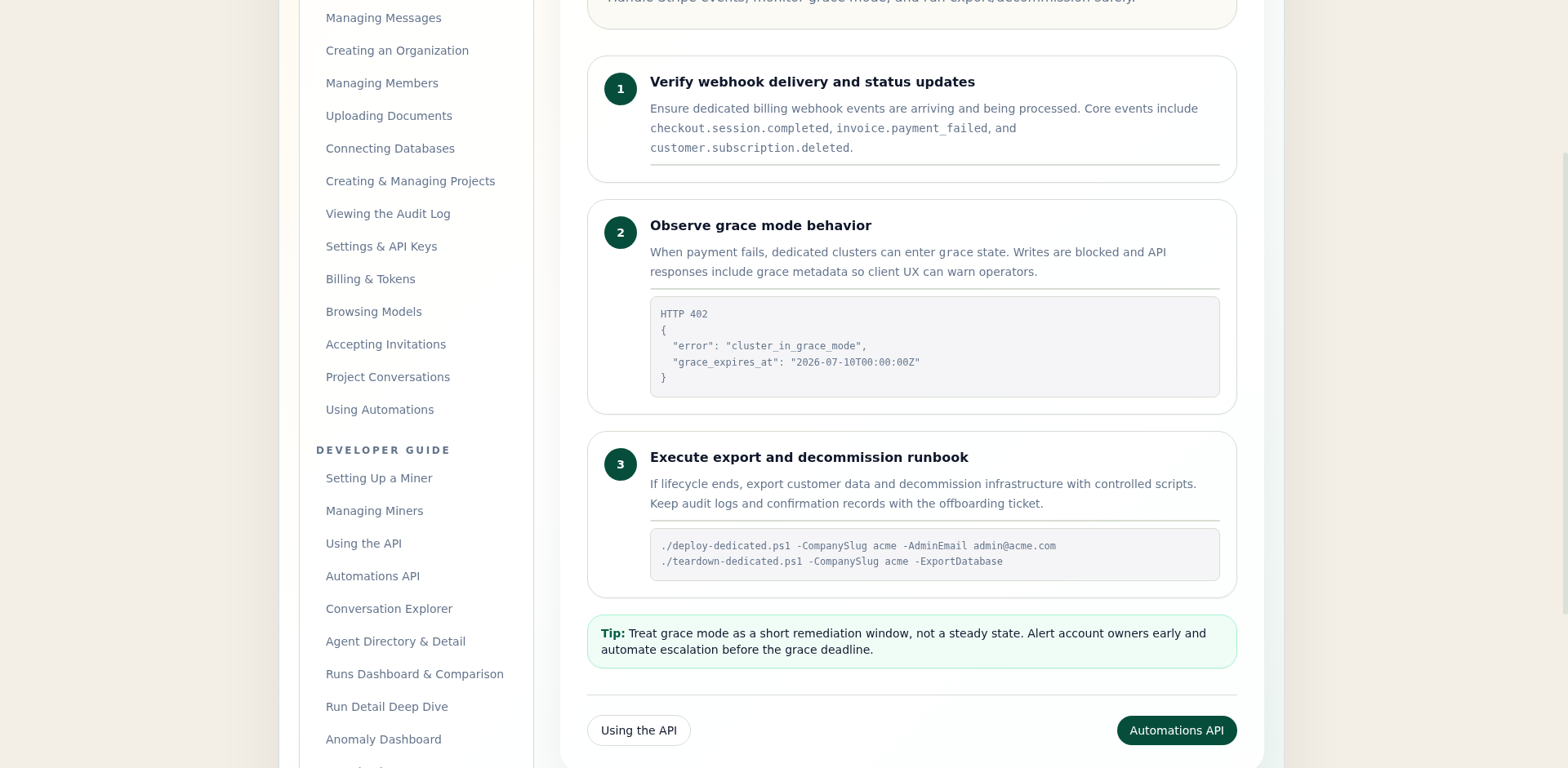
Dedicated Lifecycle Operations
Operate Stripe webhook lifecycle, grace mode, data export, and cluster decommission procedures.
Developer Guide
For admins and developers. Go deeper on miner management, API integration, observability, and operator tooling.
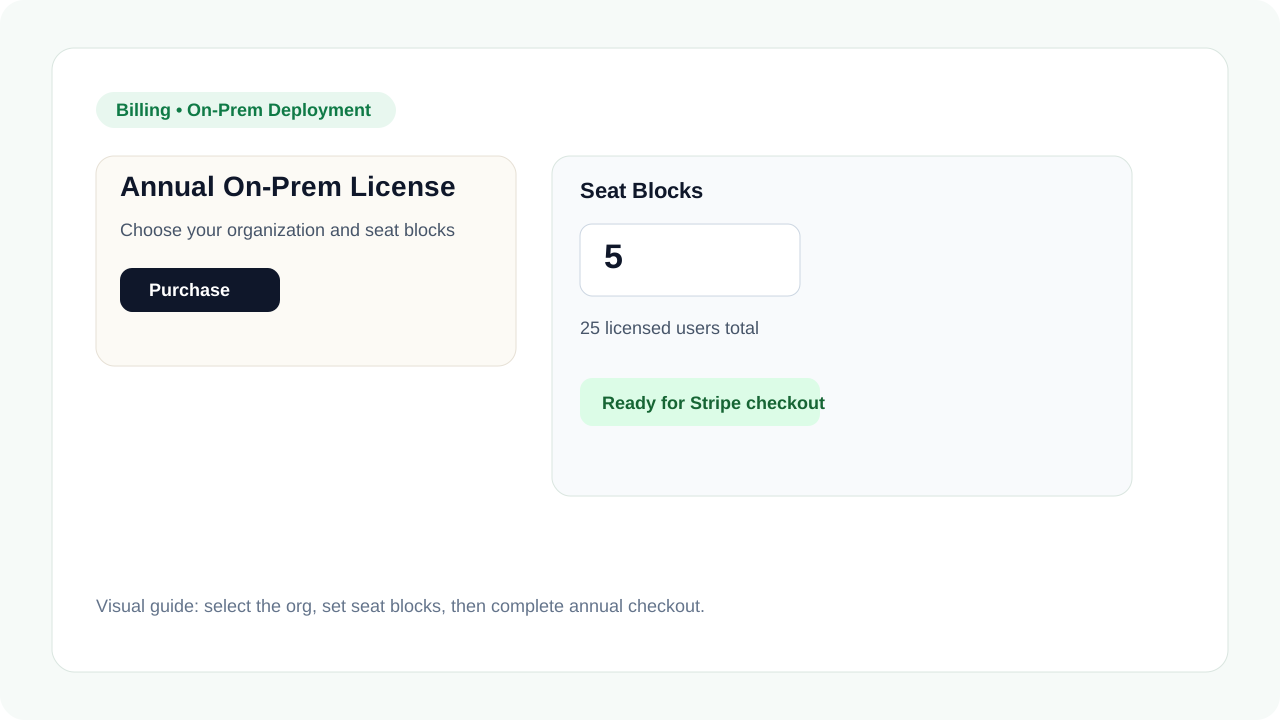
On-Prem Installation
Purchase the annual license, download the Docker bundle, install dependencies, and activate the platform.
Setting Up a Miner
Hosted or self-hosted: BACKEND_URL, MODEL_NAME, pairing key, Docker or Windows.
Managing Miners
Monitor health, filter workers, enable/disable, validate pairing, unclaim when needed.
Using the API
Authenticate and make programmatic requests.
Token Saver MCP — Harness Setup
Connect your AI harness over Streamable HTTP and start with a tier-first plan.
MCP Tools & Tier-First Lifecycle
The MCP contract in depth: transport, tools, tier sizing, the cursor loop, and replanning.
Automations API
Create, run, and monitor recurring research widgets via REST.
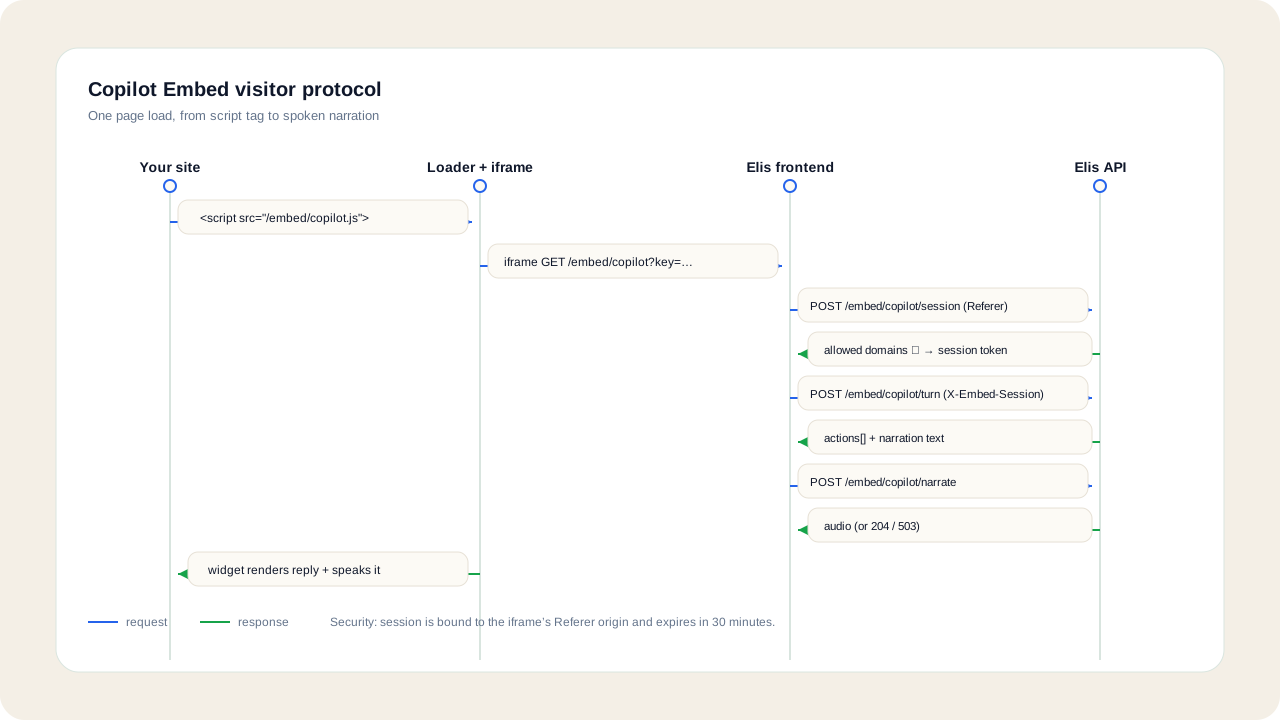
Copilot Embed API
Enable the feature, create embeds and site sources over REST, install the loader on any stack, and understand the visitor protocol and its security model
Conversation Explorer
Browse and filter conversations with run telemetry.
Agent Directory & Detail
Search agents, view stats, and explore mutations.
Add an Agent (Observability)
Generate or author a custom org agent with a step-set, and have it run automatically.
Runs Dashboard & Comparison
Filter runs and compare them side by side.
Run Detail Deep Dive
Inspect Overview, Routing, Steps, Context, and Integrity tabs.
Anomaly Dashboard
Filter by anomaly type and severity, then drill into flagged runs.
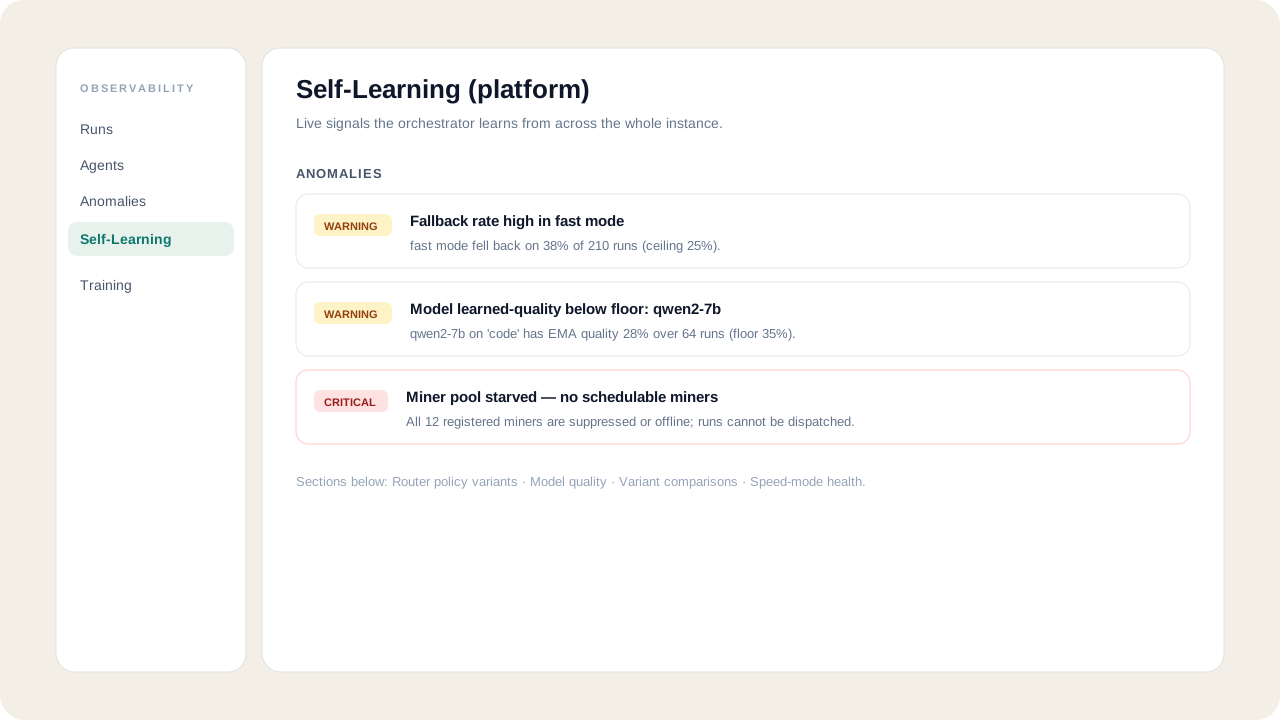
Platform Self-Learning
System-admin view of anomalies, router policy variants, model quality, variant comparisons, and speed-mode health.
Downloads
Access compiled packages and Docker images.
OpenClaw Desktop Automation
Connect an OpenClaw gateway to Elis AI for browser control, file management, and app integrations like Slack, Gmail, Notion, and Excel.